One link opens on phones, computers and big screens, and adapts to each.
门店问答台 template
Example: 鹿屿咖啡 · 江湾店 · 问问店员 · AI问答台
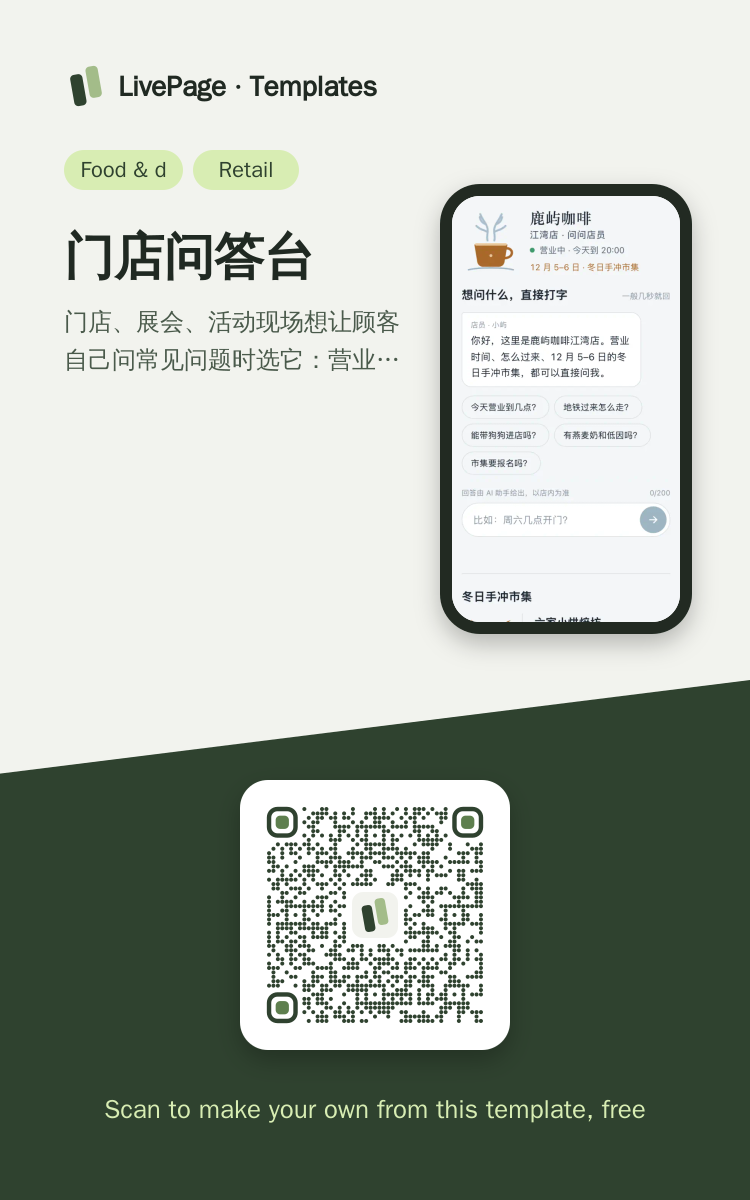
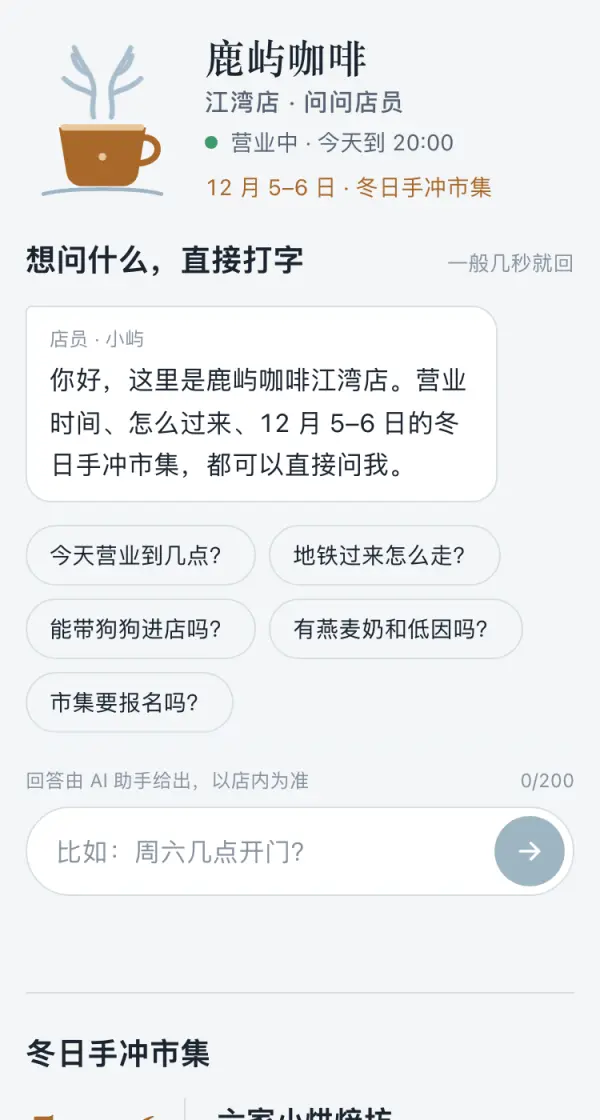
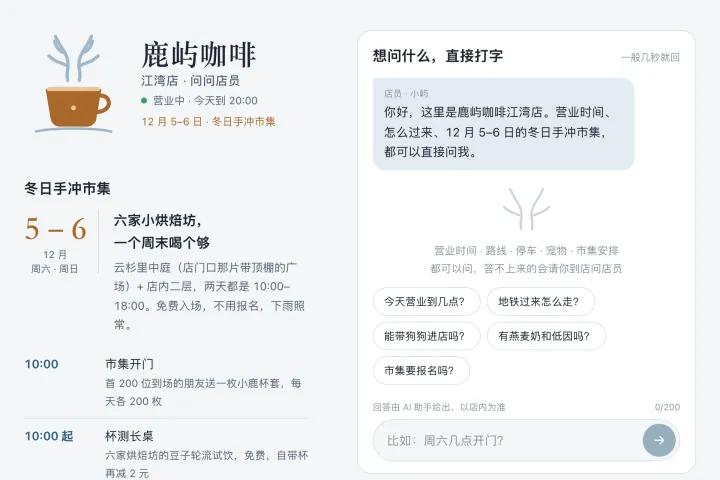
帮我给我们咖啡店做一个门店问答页,发成一个网页链接,发到顾客群里。版式要开放、留白多,标题用衬线字,像一张店里自己排的小报,不要做成卡片堆叠的 App 界面。顶部店招左图右字:左边一幅较大的现画插画(不加底框)——一只咖啡杯,杯口冒出几缕又高又显眼、缓缓飘动的热气,热气的形状呼应店名;右边是店名(大号衬线字)、分店名、带绿点的今天营业状态,再一行醒目颜色的本周末活动预告。接着是对话区:一个大标题「想问什么,直接打字」配一句「一般几秒就回」,店员先发一条描边白底的欢迎气泡(带店员署名),下面一组常被问的快捷问句做成圆角胶囊、自动折行全部露出来,然后是一行小字「回答由 AI 助手给出,以店内为准」和字数统计,最下面是长条胶囊输入框、右边一个圆形箭头发送键。顾客打字或点快捷问句,由页面里的 AI 按我给的店铺资料回答(资料里没有的就说不确定、请到店问),能连着问几轮,AI 不可用时提示去看常见问题。往下用一条细分隔线隔开,是本周末活动:左边超大的衬线日期数字(如「5 – 6」配月份和星期),右边一句像杂志标题的话和地点时间,再列出每个时段的安排(体验课场次、亮点、限定饮品);然后是 6 条可以展开的常见问题、营业时间与到店路线。手机上对话在前、输入框不被挡住;电脑上左边放店铺、活动和常见问题,右边固定一块对话区。

Reference template: first read https://getlivepage.com/examples/sample-store-ai-qa/agent.md and follow its structure and layout, replacing all content with mine. Deliver one self-contained HTML file (styles inline, no external files, good on phones) and give me the .html file to download.
· If you have LivePage tools (MCP): use sample sample-store-ai-qa as the base (list_examples key=sample-store-ai-qa), publish it on LivePage and show me the preview first.
· No LivePage tools but you can send HTTPS requests: POST the finished HTML with Content-Type: text/html to https://getlivepage.com/api/quick?client=template-sample-store-ai-qa and give me the preview link and claim link it returns (a 7-day temporary link).
If you don't have the LivePage connector (MCP) yet, read https://getlivepage.com/for-agents.md first and follow it to connect, or publish without signing in.
Doubao, DeepSeek, Kimi, Yuanbao, ChatGPT, Claude… any agent that can read a link
Publish as a link that opens in WeChat
WorkBuddy, Claude, Codex and other MCP agents; sign in by scanning with WeChat
Connecting LivePage in WorkBuddy for the first time? See the illustrated guide ›
Connect me to LivePage: first read https://getlivepage.com/for-agents.md and walk me through it step by step; then use https://getlivepage.com/examples/sample-store-ai-qa/agent.md as a reference to make my own "鹿屿咖啡 · 江湾店 · 问问店员", publish it on LivePage and show me the preview first.

My requirements: 帮我给我们咖啡店做一个门店问答页,发成一个网页链接,发到顾客群里。版式要开放、留白多,标题用衬线字,像一张店里自己排的小报,不要做成卡片堆叠的 App 界面。顶部店招左图右字:左边一幅较大的现画插画(不加底框)——一只咖啡杯,杯口冒出几缕又高又显眼、缓缓飘动的热气,热气的形状呼应店名;右边是店名(大号衬线字)、分店名、带绿点的今天营业状态,再一行醒目颜色的本周末活动预告。接着是对话区:一个大标题「想问什么,直接打字」配一句「一般几秒就回」,店员先发一条描边白底的欢迎气泡(带店员署名),下面一组常被问的快捷问句做成圆角胶囊、自动折行全部露出来,然后是一行小字「回答由 AI 助手给出,以店内为准」和字数统计,最下面是长条胶囊输入框、右边一个圆形箭头发送键。顾客打字或点快捷问句,由页面里的 AI 按我给的店铺资料回答(资料里没有的就说不确定、请到店问),能连着问几轮,AI 不可用时提示去看常见问题。往下用一条细分隔线隔开,是本周末活动:左边超大的衬线日期数字(如「5 – 6」配月份和星期),右边一句像杂志标题的话和地点时间,再列出每个时段的安排(体验课场次、亮点、限定饮品);然后是 6 条可以展开的常见问题、营业时间与到店路线。手机上对话在前、输入框不被挡住;电脑上左边放店铺、活动和常见问题,右边固定一块对话区。
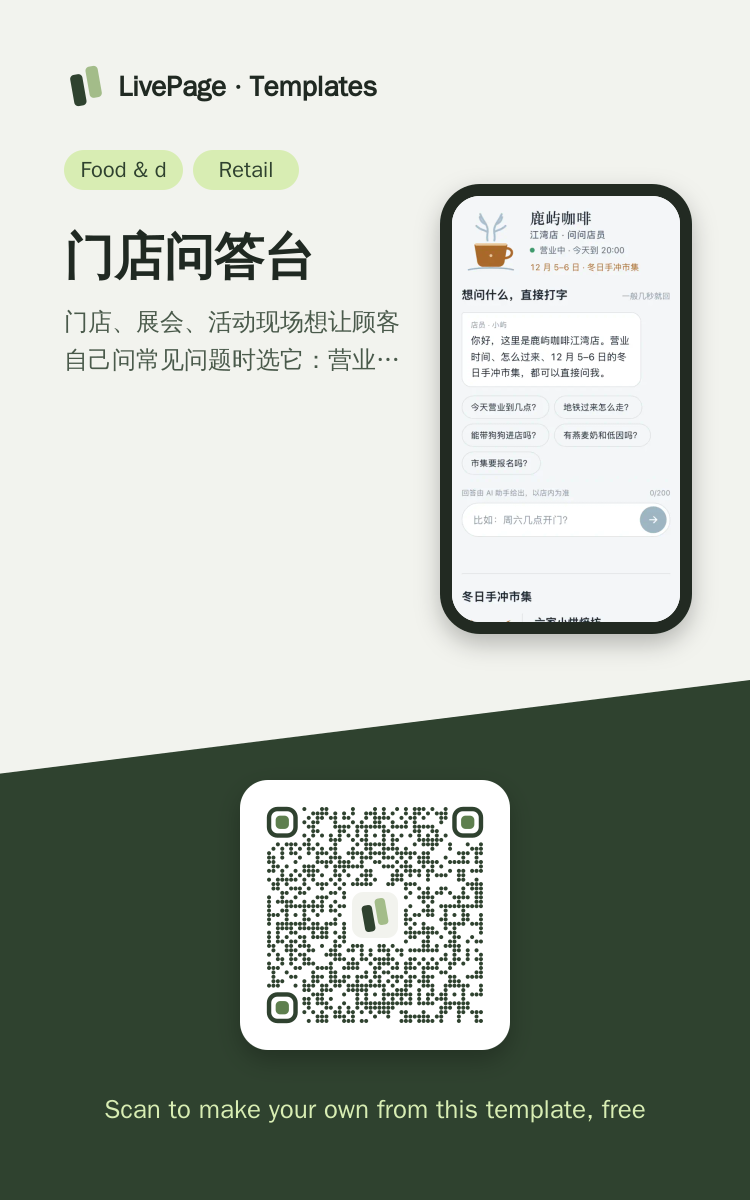
Share poster
In WeChat, long-press the image to save or forward it. Scanning the code opens this template.
About this template
门店、展会、活动现场想让顾客自己问常见问题时选它:营业时间、怎么过来、停车、宠物、活动要不要报名…… 回答由页面里的 AI 按你写好的店铺资料给出,资料没写的会说「不确定,请到店问」。只是发一份活动通知、要收报名选 sample-event-signup;不想让 AI 回答、只放固定问答的,用这份去掉对话区即可。
Page structure:问问店员 · 冬日手冲市集 · 常见问题 · 营业与到店
- 页面内置 AI 问答(<script src="/_space/ai.js"> 的 spaceAi.chat,页面里不放密钥)
- 回答只依据页面脚本顶部的店铺资料,资料没写的就说不确定
- AI 用完额度、限频或不在时,退回页面上写死的常见问题
- 同一链接更新不变:改了营业时间、换了活动,再发一版即可
Prepare before publishing: 不需要建数据表;对话用的是工作区的「AI 回答」月额度(按次计,与服务号客服共用),群人多时先确认额度够用;把脚本顶部 SHOP_FACTS 换成你自己店的资料,并让页面上的「常见问题」与它一致
Improvement history
- 2026-11-25 · New 鹿屿咖啡 · 江湾店 · 问问店员 — 门店、活动现场常被问同样的问题:顾客在页面上直接打字,页面里的 AI 按店铺资料回答,资料里没有的会请顾客到店确认;AI 不在时退回页面上的常见问题
 Mobile
 Mobile
 Desktop
 Mobile
 Big screen
 Desktop