One link opens on phones, computers and big screens, and adapts to each.
门店经营日报看板 template
Example: 禾穗烘焙 · 门店经营日报 · 宽屏看板
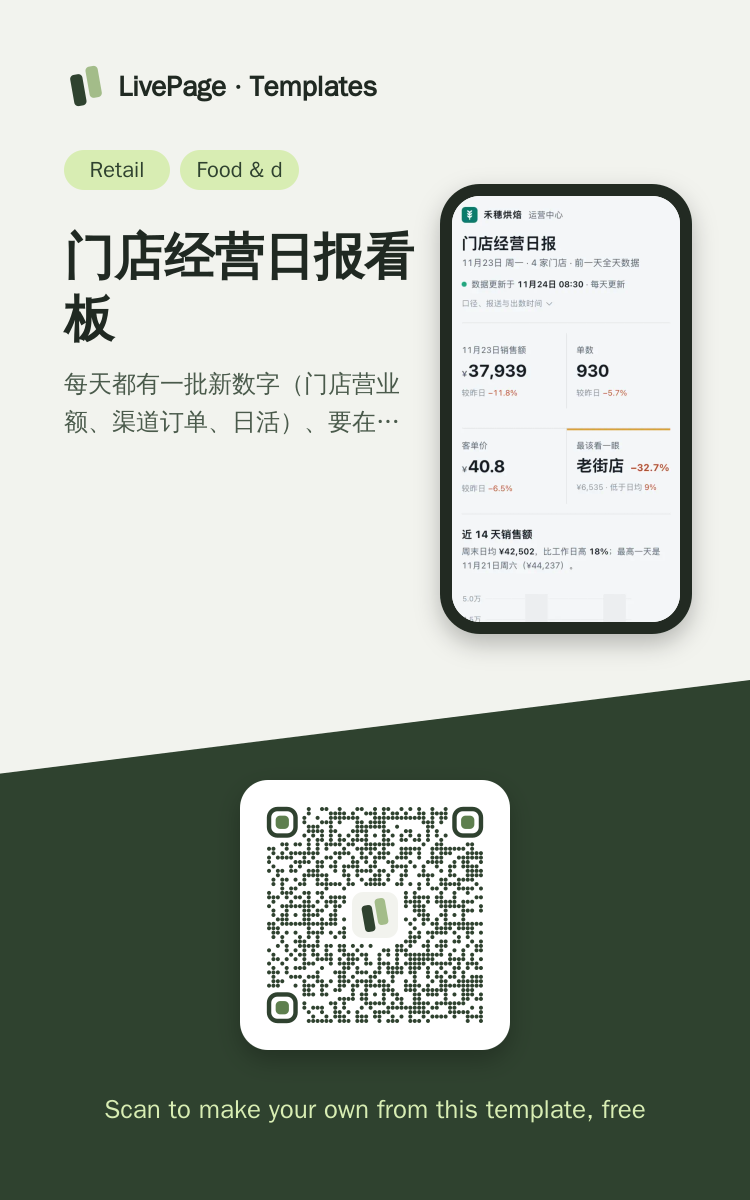
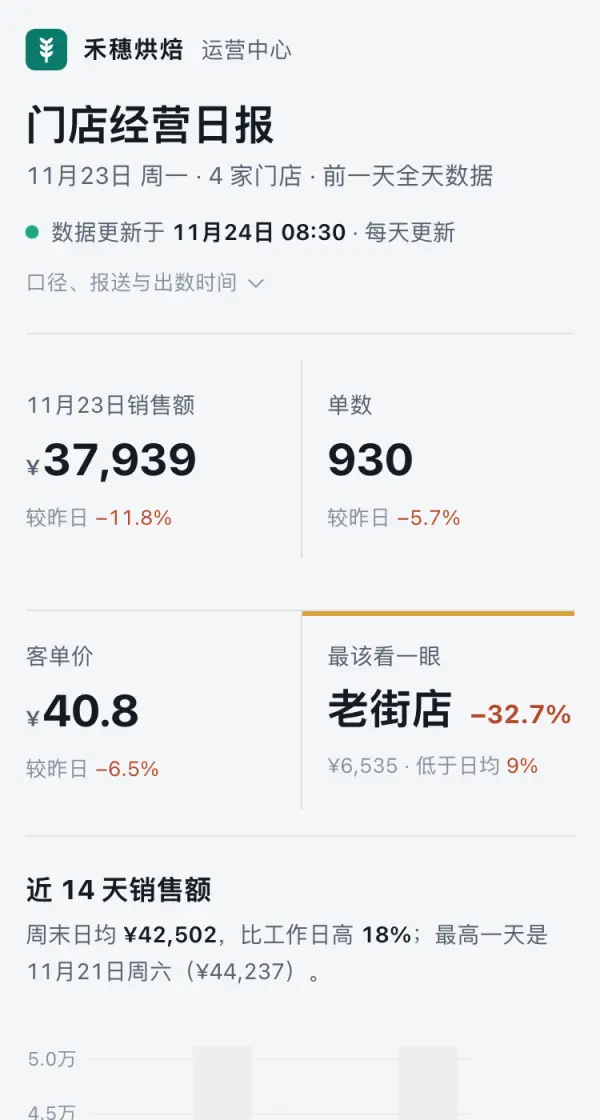
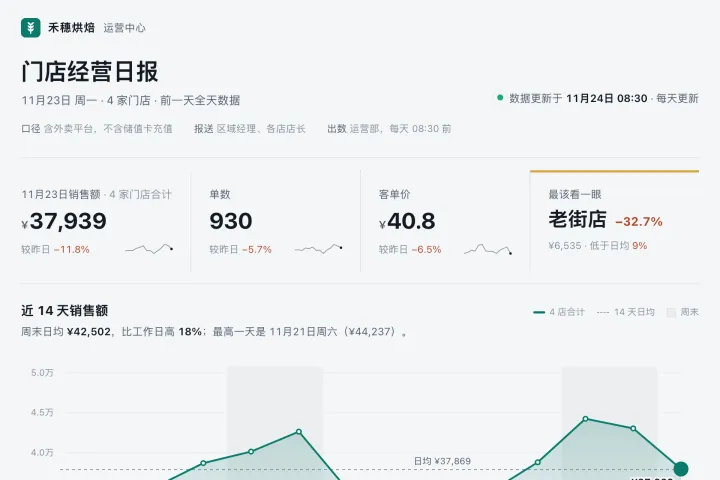
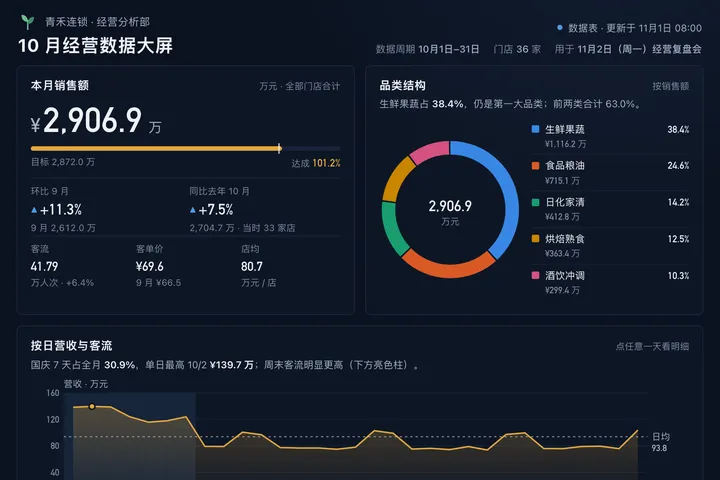
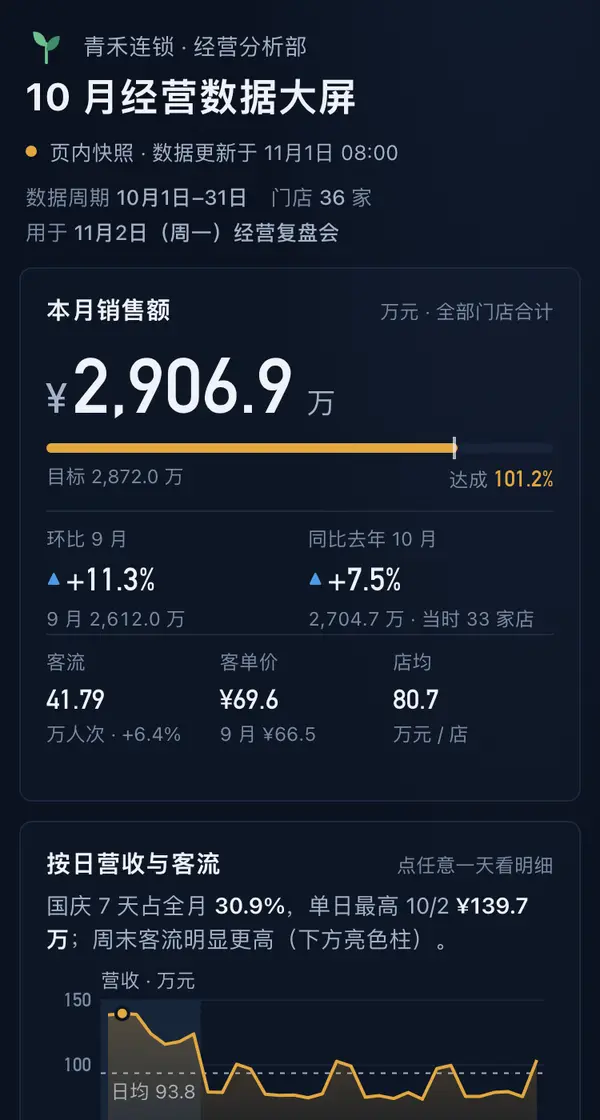
把我们几家门店每天的经营数据做成一个宽屏的经营日报看板,发成一个网页链接:页头是公司名、标题和报告日期,右侧写「数据更新于 11月24日 08:30 · 每天更新」这种格式,页头下方一行写口径、报送人、出数时间;下面一排四格:第一格标题带报告日期(如「11月23日销售额 · 4 家门店合计」),销售额、单数、客单价三格都写较昨日涨跌、配一条 14 天小走势线,第四格从数据里算出「最该看一眼」的门店(比自己 14 天日均掉得最多的那家,写店名、较昨日和低于日均多少);接着左边一张近 14 天销售额折线图,上面一句话总结(周末日均比工作日高多少、最高一天是哪天),周末加浅底纹、一条日均虚线、点某一天能看当天单数和客单价;右边是门店对比横条:条长是报告日当天销售额,条上用一道竖线标出该店 14 天日均,写高于 / 低于日均的百分比,按当天销售额排名;最后是一张明细表,一店一天一行,能按门店筛选、点表头排序,旁边一小张各店 14 天合计。数字都放在数据表里(销售明细一张、更新时间一张),页面只从表里读,超过 26 小时没更新就在页头出一条黄色提醒;表一更新,开着的页面自己刷新。电脑上两栏宽排、投到大屏时字号整体放大,手机上收成一栏、口径那行折起来。以后每天只更新数据表。

Reference template: first read https://getlivepage.com/examples/dashboard-wide/agent.md and follow its structure and layout, replacing all content with mine. Deliver one self-contained HTML file (styles inline, no external files, good on phones) and give me the .html file to download.
· If you have LivePage tools (MCP): use sample dashboard-wide as the base (list_examples key=dashboard-wide), publish it on LivePage and show me the preview first.
· No LivePage tools but you can send HTTPS requests: POST the finished HTML with Content-Type: text/html to https://getlivepage.com/api/quick?client=template-dashboard-wide and give me the preview link and claim link it returns (a 7-day temporary link).
If you don't have the LivePage connector (MCP) yet, read https://getlivepage.com/for-agents.md first and follow it to connect, or publish without signing in.
Doubao, DeepSeek, Kimi, Yuanbao, ChatGPT, Claude… any agent that can read a link
Publish as a link that opens in WeChat
WorkBuddy, Claude, Codex and other MCP agents; sign in by scanning with WeChat
Connecting LivePage in WorkBuddy for the first time? See the illustrated guide ›
Connect me to LivePage: first read https://getlivepage.com/for-agents.md and walk me through it step by step; then use https://getlivepage.com/examples/dashboard-wide/agent.md as a reference to make my own "禾穗烘焙 · 门店经营日报", publish it on LivePage and show me the preview first.

My requirements: 把我们几家门店每天的经营数据做成一个宽屏的经营日报看板,发成一个网页链接:页头是公司名、标题和报告日期,右侧写「数据更新于 11月24日 08:30 · 每天更新」这种格式,页头下方一行写口径、报送人、出数时间;下面一排四格:第一格标题带报告日期(如「11月23日销售额 · 4 家门店合计」),销售额、单数、客单价三格都写较昨日涨跌、配一条 14 天小走势线,第四格从数据里算出「最该看一眼」的门店(比自己 14 天日均掉得最多的那家,写店名、较昨日和低于日均多少);接着左边一张近 14 天销售额折线图,上面一句话总结(周末日均比工作日高多少、最高一天是哪天),周末加浅底纹、一条日均虚线、点某一天能看当天单数和客单价;右边是门店对比横条:条长是报告日当天销售额,条上用一道竖线标出该店 14 天日均,写高于 / 低于日均的百分比,按当天销售额排名;最后是一张明细表,一店一天一行,能按门店筛选、点表头排序,旁边一小张各店 14 天合计。数字都放在数据表里(销售明细一张、更新时间一张),页面只从表里读,超过 26 小时没更新就在页头出一条黄色提醒;表一更新,开着的页面自己刷新。电脑上两栏宽排、投到大屏时字号整体放大,手机上收成一栏、口径那行折起来。以后每天只更新数据表。
Share poster
In WeChat, long-press the image to save or forward it. Scanning the code opens this template.
About this template
每天都有一批新数字(门店营业额、渠道订单、日活)、要在电脑上或开会投屏看同一个链接时选它:数据放在数据表里,每天只更新表、不重发页面,开着的页面自己刷新。只是一次性的分析结论选分析报告类模板;每周文字进展为主选 sample-weekly-report;要读者在页里填东西选带表单的模板(如 sample-event-signup)。
Page structure:昨日概览 · 近 14 天趋势 · 门店对比 · 明细
- 四个 KPI:销售额 / 单数 / 客单价(各带较昨日与 14 天小走势)+ 一格从数据算出的「最该看一眼」(离自己日均最远的门店)
- 近 14 天趋势折线(周末底纹、日均参照线、点按看当天明细)
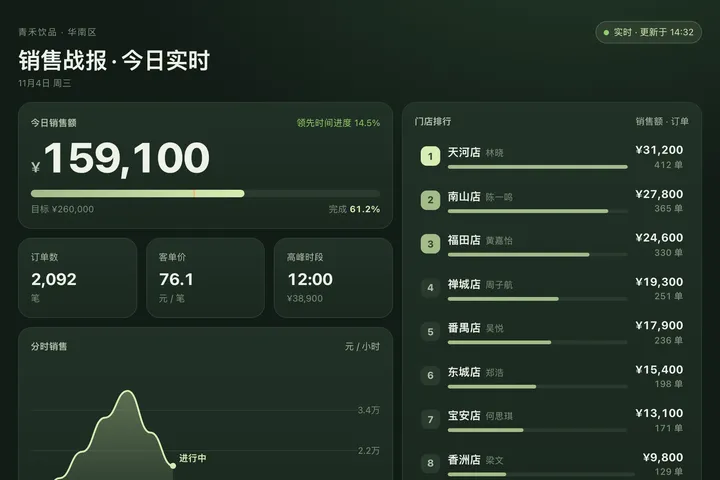
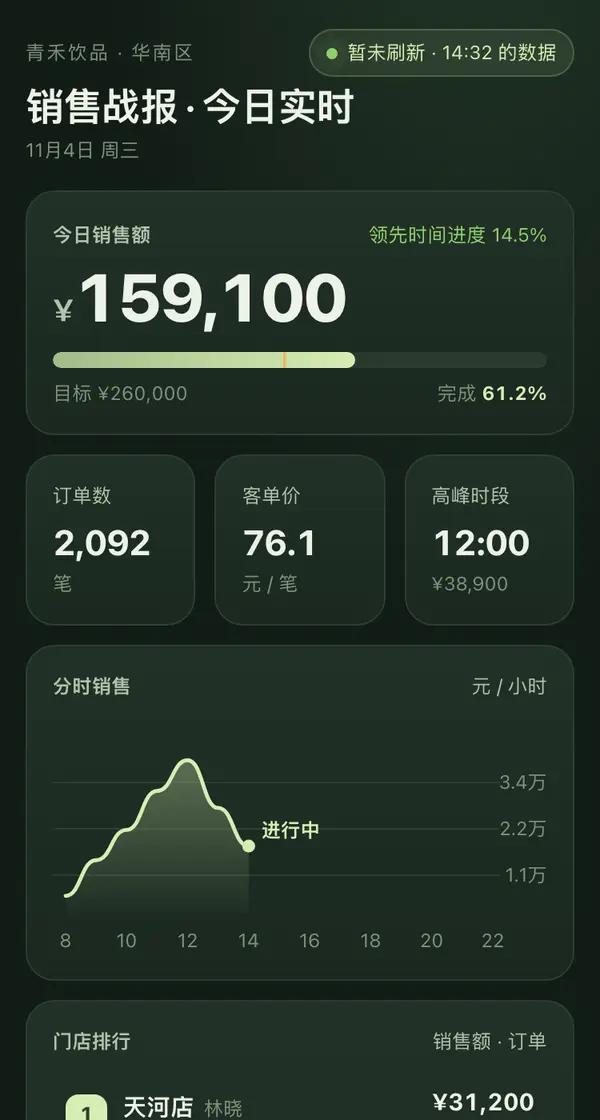
- 门店对比横条(标出各店 14 天日均)、可排序可按门店筛选的明细表,旁边是各店 14 天合计
- 页头「数据更新于 … · 每天更新」,超过时限自动出「数据可能已过期」提醒
- 数字全部来自数据表(fetch ./_data/sales.json),改数据不用重发页面
- 自动刷新:数据表一更新,开着的页面不刷新就重画,并闪一下「刚刚更新」
- 会议室大屏:1600px 以上(或平台大屏模式 data-screen="1")整体放大
Prepare before publishing: 数据表 sales(列 日期 / 门店 / 销售额 / 单数,一店一天一行,append_open=false):发布前用 set_data 建好,之后每天 set_data 或 space.mjs data push sales.csv 更新;数据表 meta(列 updated_at / stale_after_hours,只有一行,append_open=false):每次更新 sales 时一起把 updated_at 改成当时的北京时间(YYYY-MM-DD HH:mm);自动刷新(space.data.onUpdated):页面已经监听,平台没上这项能力时退化为打开时读一次 + 切回页面超过 10 分钟补读一次;可选:公开给外部看时 set_data 传 expose:"aggregate" + group_cols,页面改用 ./_data/sales/query?q=… 只读汇总(见 agent.md)
 Big screen
 Big screen

 Mobile

 Mobile

 Mobile

 Big screen